The budget traffic light for iPhone
One color tells you everything.
Decide how much you want to spend. Tagestaler spreads the money you have left across the remaining days and shows you at every moment whether you are on track. No math, no spreadsheets.
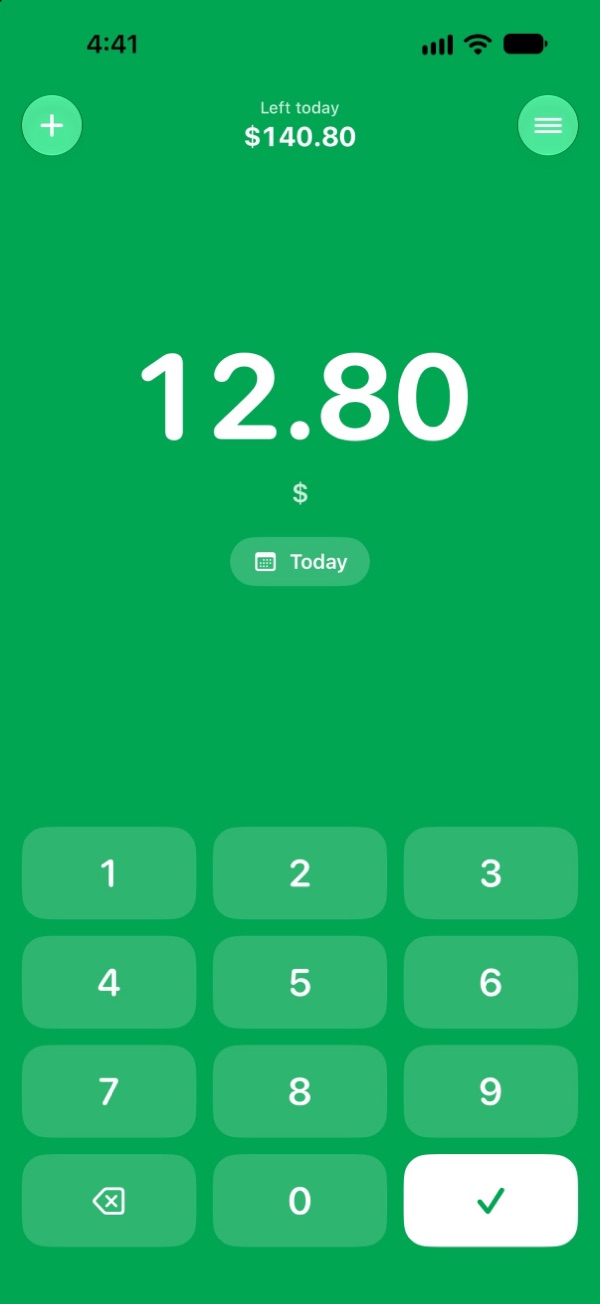
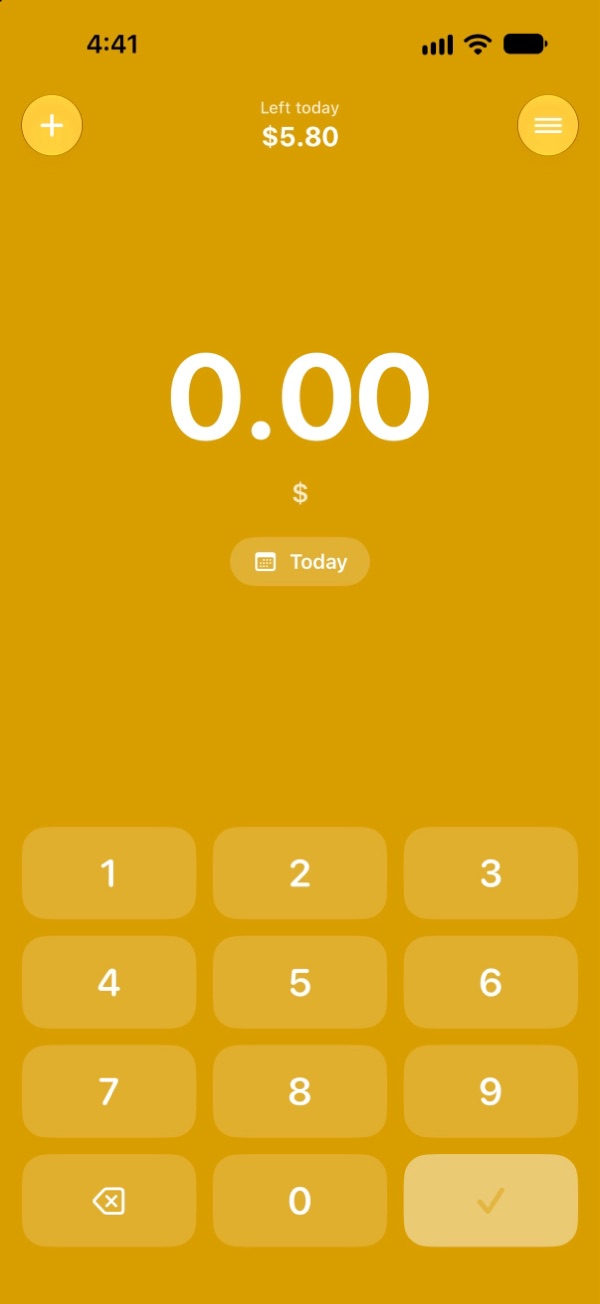
Recorded in seconds
Type the amount. Check. Done.
Monthly from payday, or a custom period such as a 14-day vacation.
Enter the amount, tap the check mark. Or just tell Siri while you are still at the checkout.
At the top you see how much you can still spend today. One glance is enough.
Who is Tagestaler for?
For anyone who wants to keep an eye on their money.
Monthly from your payday, for example from the 25th to the 24th. You always know what is still possible today.
A custom period, for example 14 days. Enjoy it without a nasty surprise at the end.
Little money, lots of expenses. One glance shows whether today's coffee still fits.
A fixed amount for groceries or free time, without a budget book or spreadsheets.
Thoughtful down to the details
Small. And just right.
The forecast
Praise when you are on track, a recommendation when things get tight, and in the red the day you will be back in the green.
Widget
Your daily amount on the Home and Lock Screen, without opening the app.
Overview
All past periods with their result and bookings. Forgotten expenses can be added later.
Your data belongs to you
Back it up, for example to iCloud Drive, or export it as a CSV spreadsheet for Numbers or Excel.
Private. Truly private.
Your data stays on your iPhone.
- No account, no sign-in
- No ads
- No tracking, no analytics
- Works completely offline
- No subscription, no in-app purchases
- Buy once, use forever
Frequently asked questions
Good to know.
What is Tagestaler?
Tagestaler is a budget app for iPhone. You decide how much you want to spend in a period and enter your expenses. The color of the screen shows you right away whether you are on track.
How does the traffic light work?
Tagestaler spreads the money you have left across the remaining days. If you spend no more than that each day, your budget lasts until the end. Green means within your limit, yellow means only a little left today or your daily amount is smaller because of earlier spending, red means you spent more today than planned, gray means the budget is used up.
What does “Left today” mean?
At the top of the app and in the widget you see how much you can still spend today. Stick to it and you will have the same amount again tomorrow.
Do I need an account?
No. No sign-in, no email address, no password.
Are there ads or a subscription?
No. Tagestaler costs a small one-time price. There is no subscription, no in-app purchase and no advertising.
Where is my data stored?
Only on your iPhone. Tagestaler has no server and sends no data to the internet. Nobody but you can see your data, not even the developer.
Does Tagestaler work without internet?
Yes, completely. Tagestaler needs no internet connection.
Can I choose my own period, for example for a vacation?
Yes. Monthly from any day, such as your payday, or a custom period like 14 days with its own budget.
How do I back up my data?
Create a backup in the settings, for example to iCloud Drive. You can also export everything as a CSV spreadsheet for Numbers or Excel.
Can I add expenses with Siri?
Yes. Just tell Siri, for example while you are still at the checkout. The widget shows your daily amount on the Home and Lock Screen.
Tagestaler is coming soon to the App Store.
For anyone who wants to keep an eye on their money, without the hassle of a budget book.
Soon for iPhone
Questions or ideas? Write to [email protected]